 What's Now Playing
Real-time music charts from streaming communities
What's Now Playing Charts is a real-time music discovery platform that tracks what streamers and content creators are listening to. We aggregate music data from streaming communities to create dynamic charts showing trending tracks, popular artists, and musical discoveries.
To start tracking your music:
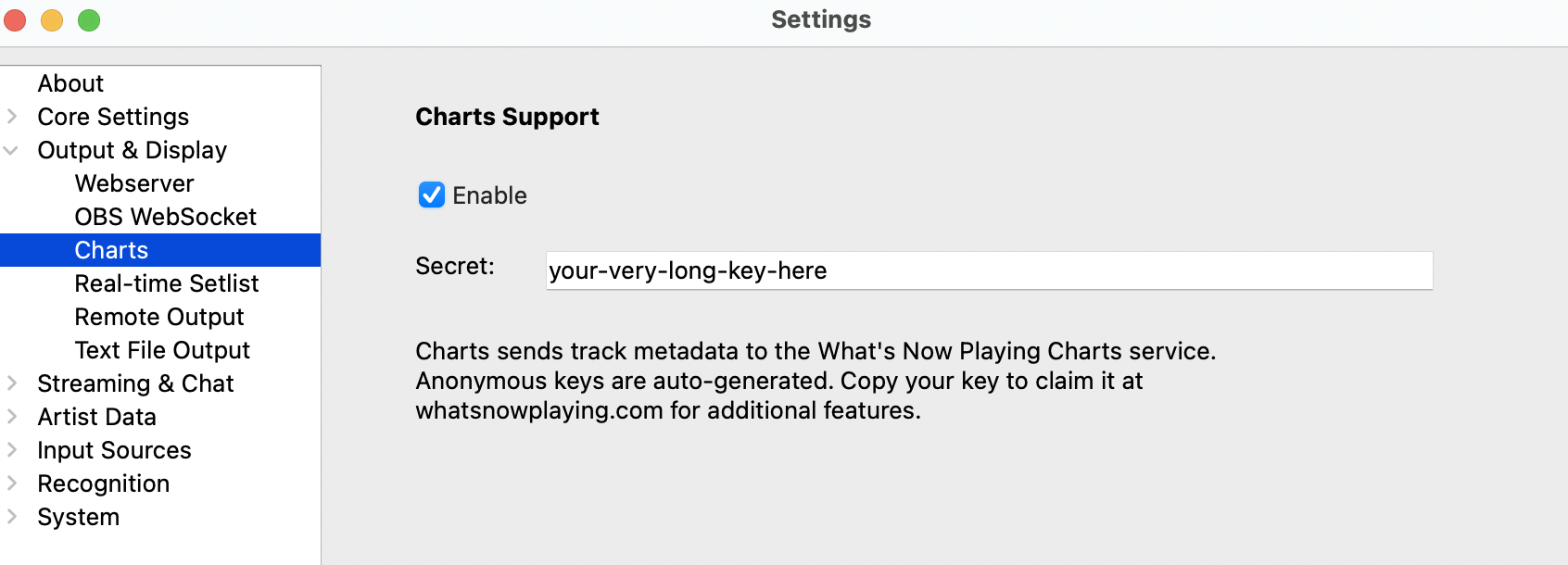
Finding your Charts API key:
While our platform is designed with streamers in mind, anyone can create an account and track their music listening habits. Your data contributes to the community charts and helps others discover great music.
Yes! You can start tracking immediately without an account:
This is perfect if you want to try the service before committing to an account.
Linking your Twitch or Kick account unlocks your full profile at whatsnowplaying.com/profile/your-username, including:
whatsnowplaying.com/guessgame/your-username for live viewer interactionYou can link multiple platforms and manage them all from your dashboard.
Our charts are based on real-time play data, ranked by total play count across all users. Charts can be filtered by time period (last 24 hours, week, month, or all time) to see what's trending recently versus all-time favorites.
Top Artists Ranking: Artists are ranked by the total number of unique song-user combinations. Each song by an artist gets one point for every different user who plays it.
For example:
This formula rewards both cross-user popularity and song diversity, giving a balanced view of which artists resonate most broadly across the streaming community.
This can happen when:
If you consistently see "Unknown Artist" for tracks that should be identifiable, please let us know so we can investigate.
Yes! Once you've claimed your key, your public profile shows a full breakdown of your listening history:
Your dashboard handles account settings and API key management. See an example profile to get a sense of what it looks like.
"Tracks played" counts every single play, including replays of the same song. If you play a song 100 times, it counts as 100 plays.
"Analysis based on X tracks" only includes plays where we have genre information from MusicBrainz. Some tracks can't be included in the genre analysis because:
Important: Both numbers include replays! Your DJ Profile reflects your actual listening behavior. If you play certain songs more often, those genres will be weighted more heavily in your profile.
Setlists are automatic recordings of your DJ sets and streaming sessions. They're created by grouping continuous plays during your streams.
Features:
Privacy Control: In your dashboard, you can set setlist privacy to:
The Guess Game is an interactive feature that lets your viewers guess what track you're playing during your stream.
How it works:
When a game is active, your guess game board is live at whatsnowplaying.com/guessgame/your-username — share the link with your viewers so they can participate directly.
The What's Now Playing client supports most popular setups and even some obscure ones including:
Vinyl decks, standalone CDJs, and analog mixers are supported via WNP EarShot, a companion app that uses Shazam-based audio identification to detect tracks playing through your system. What's Now Playing 5.2.0 and later can receive track data from EarShot automatically.
Unfortunately, Rekordbox support is not available due to restrictive licensing terms from AlphaTheta. We'd love to support it, but their closed platform policies make implementation legally risky. If you're interested in Rekordbox support, we encourage reaching out to AlphaTheta to request more open integration policies.
If your tracks aren't showing up, try these troubleshooting steps:
Charts API key location in client:
Still having issues? Contact our support team.
Yes! The WNP client has a built-in bot integration, but if you prefer to set it up manually, you can generate a read-only Chat Token from the Chat Token tab in your dashboard and paste it into your bot's command response. All three major bots are supported: Nightbot, StreamElements, and Streamlabs Cloudbot.
See the full setup guide for step-by-step instructions.
Yes, you can regenerate your API key at any time from your dashboard.
What happens when you regenerate:
Security note: If you suspect your API key has been compromised or shared publicly, regenerate it immediately to prevent unauthorized submissions.
Anonymous users: If you're using an anonymous key and want to claim your data later, save your anonymous key before creating an account. You can then use the "Claim Anonymous Data" feature in the dashboard to transfer all your plays to your new account.
We collect basic track information including:
We do not store any personal files, lyrics, or audio content.
Yes! You have full control over your privacy settings from your dashboard:
We use multiple methods to accurately identify tracks:
We'd love to hear from you! You can:
Yes! What's Now Playing Charts is completely free to use. We're passionate about music discovery and building tools for the streaming community. The service is funded by the What's Now Playing project.
 Twitch
 Kick
Kick